6
Stops
How it works
GroomerPilot keeps detailed planning on your computer and the essential actions for each stop on your phone.
Before departure
Add or import clients and pets, confirm addresses, schedule the day, and put stops in a sensible order before the van leaves.
Client and pet records
Address review
Appointment planning
Route ordering
Desktop route planning
6
Stops
54m
Drive time
3
Due to rebook
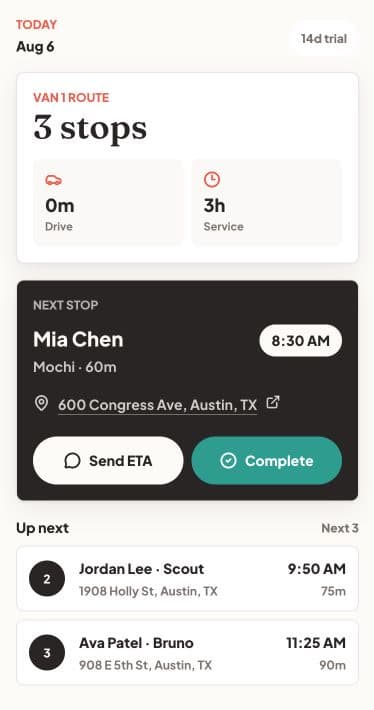
Mia Chen · Mochi
8:30 AM
Jordan Lee · Scout
9:50 AM
Ava Patel · Bruno
11:25 AM
At the client's door
The mobile view stays focused so you can work around pets, driveways, and a busy schedule.
Open the next address in Apple Maps or Google Maps.
Choose 10, 20, or 30 minutes, then review and send the prefilled text.
Mark the appointment complete and move on to the next stop.
The rebooking list shows which pets are approaching their usual grooming interval. Review it on desktop and send a reminder before they fall off schedule.